
How to Redeem The Button Room 2 Codes
Find the gear icon, paste one string, press Enter, and watch Slot Coins land.
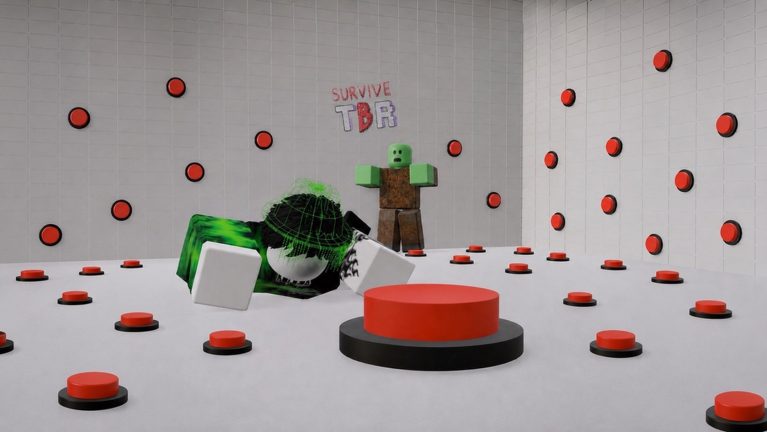
Redeeming codes in The Button Room 2 is a HUD skill, not a puzzle. The chamber never asks you to type in chat, and there is no website form. Everything happens in a settings panel on the left of the screen. Players who fail a code almost always typed in the wrong box, added a space, or tried a string that already expired on the codes hub.
This page walks the panel tap by tap so you can dump every live reward before you touch a dangerous button. Pair it with the beginner guide if this is your first session.
Before you open settings
Load into the Roblox experience and wait until your character is standing in the chamber. If you redeem during the spawn fade, the panel can swallow the first paste. Do not press wall buttons yet. A zombie wave during code entry is a bad time to hunt for the cog.
Have the working codes table open on a second monitor or your phone. Copy one code at a time. Bulk paste with extra line breaks is the number one reason a good code looks broken.
Step-by-step on PC
- Look at the left edge of the HUD. You will see a gift icon and a gear / cog beside it.
- Click the gear. A large panel slides in with a wide empty text field.
- Click inside that field so a caret appears. This is not the Roblox chat bar at the bottom of the screen.
- Press Ctrl+V (or Cmd+V) to paste a single code such as
GameReturnor50m_visits. - Press Enter. A confirmation message should flash. Cards, coins, and titles go straight to inventory.
- Clear the box if the text remains, then paste the next code.
If Enter does nothing, click the field again. Some fullscreen setups steal the first keypress.
Step-by-step on mobile
The layout is the same, just taller. Tap the gear on the left, tap the white box, long-press to paste, then tap the on-screen Enter / Return key. Do not tap Send in chat. If your keyboard hides the box, dismiss it after each success so you can see the toast.
Console players using a keyboard on Roblox follow the PC steps. If you only have a controller, you still need a text input method — Roblox’s on-screen keyboard works, but pasting from a phone overlay is faster.
What a success looks like
A short on-screen confirmation appears. Slot Coins increment. Cards show in your card deck or inventory tray. Titles unlock in the title picker. You do not need to relog. If you redeemed a multi-use Laser Gun or Chain Mace, equip it before you farm waves — see the weapon tier list.
EXP from LEVELUP applies immediately to stat leveling. You will not see a cinematic; the number just jumps.
Common errors and fixes
Invalid / doesn’t work. The code expired or you have a typo. Compare letter by letter with the codes hub. 10Mmilestone is not 10mMilestone. Underscores in UPDATE_WAITER and 50m_visits are required.
Nothing happens. You typed in chat. Close chat, open the gear, use the big box. Also wait until the avatar has fully loaded.
Already redeemed. Codes are one-time per account. You will not get a second Laser Rifle from GameReturn on an alt-less account.
Partial rewards. Some bundles grant titles plus cards. Scroll the inventory. Chromatic single-use cards can sit in a separate stack from multi-use weapons.
Lag toast. During admin events the panel can delay. Wait five seconds before retrying so you do not double-submit a live code into a failed state.
Order of operations that actually helps
Redeem combat codes first: GameReturn, LIKE_PLS, DiscordSpecial, 50m_visits, O2URZACXGU, LuckyBlock. Then Slot Coin dumps such as IBUMB10SPZ, UPDATE_WAITER, PreSummer8000. Finish with titles (TipHunter, PIKACHU, DiscordLaunch). That order means if a wave starts while you are still pasting, you already hold a gun and a revive.
After the panel closes, spend Slot Coins on the luck machine only if you have read the card tier list. Dumping coins into Common rolls wastes the entire code session.
Codes will not skip the escape
No redeemable string hands you the golden key. You still need paper, plank, camera, and the timed safe code described in how to escape. Codes buy tools so you survive long enough to photograph the digits. They also will not spawn the Mecha for you — you still combine parts as in the Mecha boss guide.
Think of codes as a loadout. The room still kills greedy players.
After you redeem
Close the gear so you can see floor traps again. Mark the first useful buttons with Blue Tape if LuckyBlock granted tape. Check how to use buttons before you start a press marathon. If an admin event is live, read updates because event buttons can override the usual risk table.
Keep this page bookmarked with the codes hub. When a new milestone string drops, the redeem path never changes — only the table does.
Frequently Asked Questions
Quick answers for the chamber, codes, and escape route.
Is the code box the Roblox chat?
No. Open the gear icon on the left and use the large white field inside settings. Chat will never credit Slot Coins.
Can I redeem on a phone?
Yes. Same gear icon, paste from clipboard, tap Enter. Details are in the mobile section above and the codes list.
Do I need to rejoin after a code?
No. Rewards apply instantly. Equip new weapons before the next wave using the weapon tier list.
A code worked for my friend but not me.
You already redeemed it, or their list is stale. Cross-check the working table and skip anything in the expired section.